A reliable baseline
Save a JSON snapshot with relative paths, file sizes, modification times and SHA-256 hashes.
FolderWatch
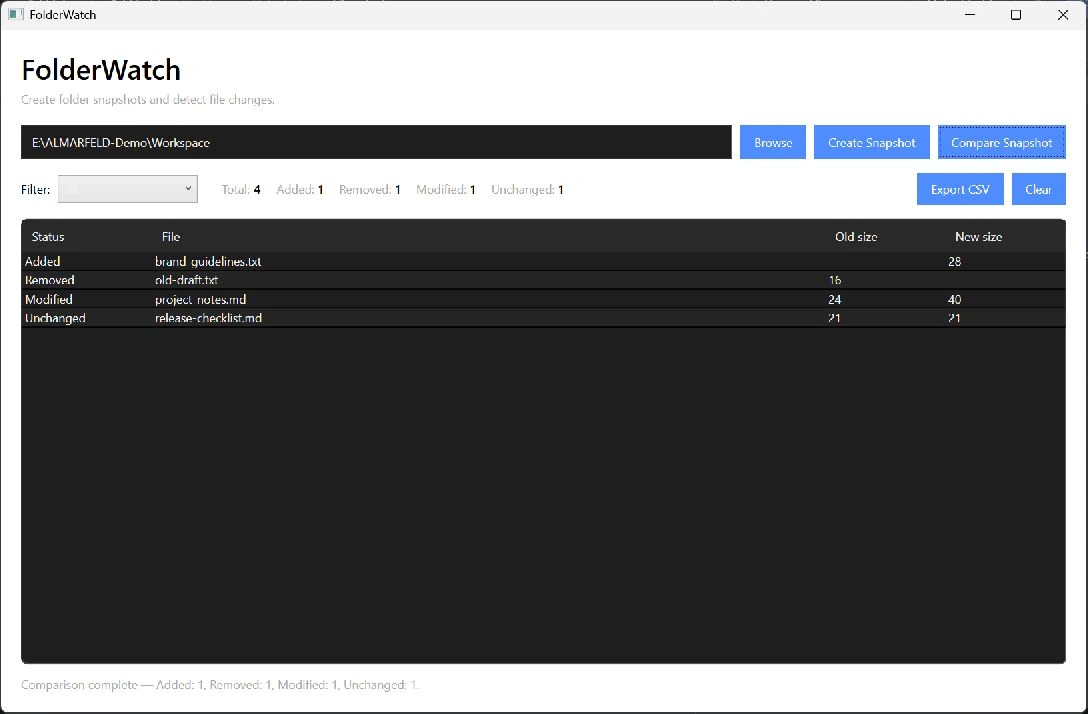
Take a snapshot of a local folder. Come back later and compare it with the current files to see what was added, removed or modified. SHA-256 hashes help identify content changes, and a filtered CSV export keeps the results useful beyond the app.
WHAT IT DOES
FolderWatch keeps the workflow focused, from the first input to a result you can review.
Save a JSON snapshot with relative paths, file sizes, modification times and SHA-256 hashes.
Compare the current folder with a saved snapshot. Filter added, removed, modified and unchanged files.
See comparison statistics and export the filtered results as CSV.
LOCAL BY DESIGN
Snapshots, hashes and comparisons stay on your machine. FolderWatch runs fully offline, with no telemetry or file uploads.