Inspect configuration files
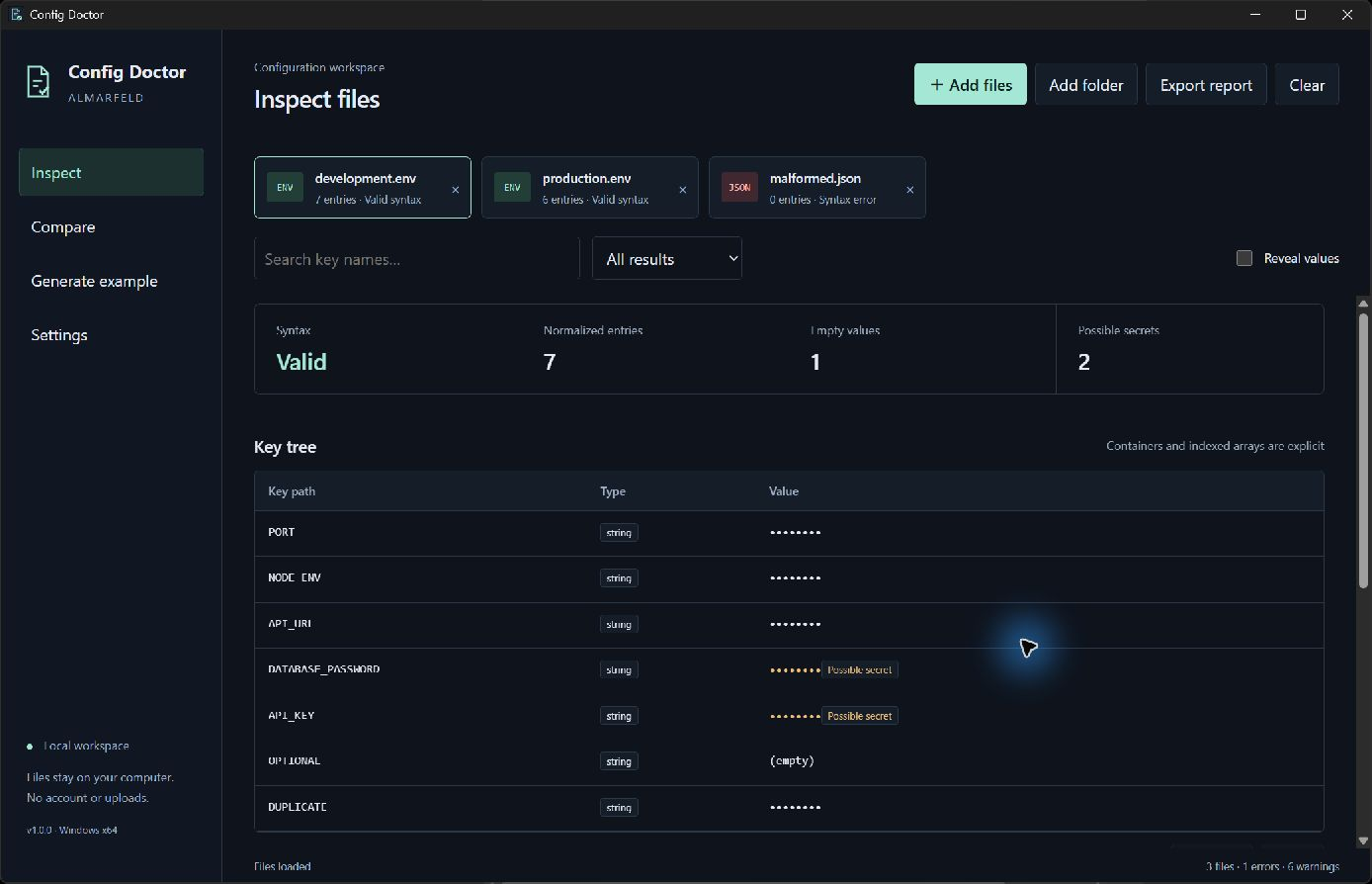
Find syntax errors, duplicate keys and empty values. View normalized hierarchical paths and explicit array indexes.
Inspect, compare and validate .env, JSON, YAML, TOML and INI configuration files locally on Windows.
Requires Microsoft Edge WebView2 Runtime.
.env / .env.example · JSON · YAML / YML · TOML · INI
Find syntax errors, duplicate keys and empty values. View normalized hierarchical paths and explicit array indexes.
Find missing or extra keys, different values and type mismatches across files and formats. Search key names and filter results.
Generate a .env.example with real values removed. Export HTML, JSON or TXT reports with values masked unless explicitly included.
File processing happens locally and works offline. No accounts, telemetry or uploads. Configuration values are masked by default; revealing them is temporary. Generated examples and reports use a preview and confirmation, and cannot overwrite existing files. Recent paths are optional; file contents are never persisted.
Possible-secret detection is heuristic, not a complete security scanner. It can miss credentials or flag harmless values. Review reports before sharing: keys, file names and diagnostics remain visible. UTF-8 files only; some YAML structures are deliberately unsupported. Microsoft Edge WebView2 Runtime must already be installed.
Support and bug reports →Extract the ZIP and run the application.
The release includes a SHA-256 checksum file.
ConfigDoctor-v1.0.0-win-x64.zip
SHA-256: 77c2e709d5ac1aaec11c75ae85aa2ece0ecc9790321e910c697560fa2c0885ac