Merge, split, extract and rotate
Combine documents, split by ranges or page counts, extract selected pages and rotate pages while keeping source files intact.
Merge, split, organize, convert, protect and optimize PDF files locally on Windows.
PDF Toolbox brings common PDF tasks into one offline Windows application. Arrange pages, convert between PDFs and images, add watermarks or page numbers, protect or unlock documents with valid credentials, and apply lossless compression without uploading files.
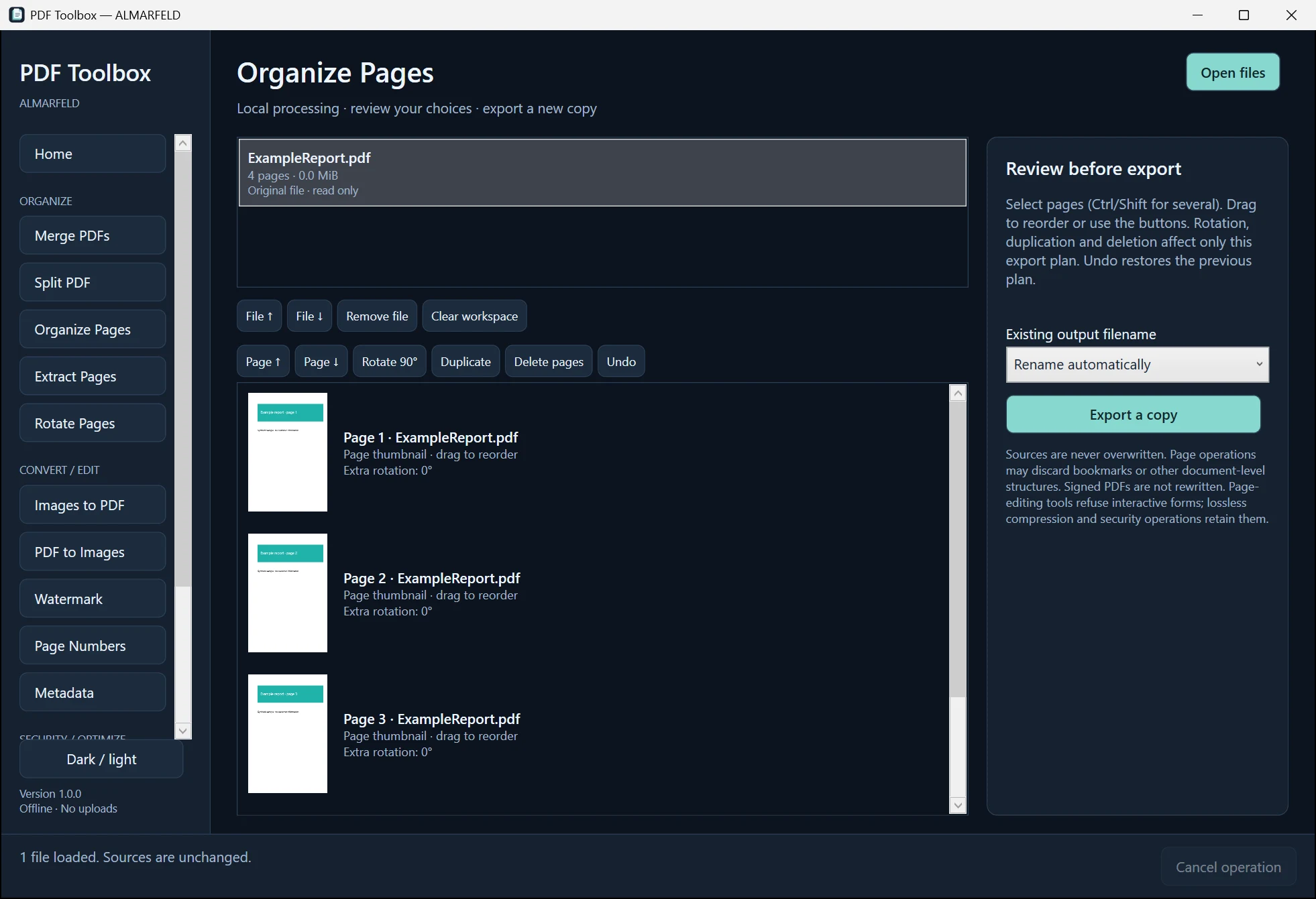
Extract the whole ZIP into a folder and run PDFToolbox.exe. Keep adjacent packaged files and folders together.
PDF Toolbox does not require WebView2 or a separate .NET runtime installation.
The self-contained portable ZIP includes the .NET runtime; there is no installer. Requires Windows 10 version 2004 or later, or Windows 11, x64. Windows 10 has not been independently tested.
Windows binaries are not Authenticode signed, so Windows may show a reputation or security warning. Download only through official ALMARFELD or GitHub release links. Do not disable Windows security.
For an optional SHA-256 check, open PowerShell in the folder containing your downloaded ZIP and run:
Get-FileHash -Algorithm SHA256 .\PDFToolbox-v1.0.0-win-x64.zipExpected SHA-256:f67ff6c9604635eac96948fd6d716fa6abb4a91478ad965ea8a18c655bd464bf
Compare the Hash value; letter case does not matter. A matching hash confirms the downloaded bytes match the published artifact; it is not a malware scan or an Authenticode signature. Do not run a file with a different hash.
PDF · JPG / JPEG · PNG · BMP (image input)
Combine documents, split by ranges or page counts, extract selected pages and rotate pages while keeping source files intact.
Reorder, duplicate or delete pages in the export plan. Review thumbnails and undo organization changes before saving a copy.
Create PDFs from JPG, PNG or BMP images. Export PDF pages to PNG or JPEG with selected ranges and resolution.
Inspect document information and edit fields such as Title, Author and Subject in a copy. Metadata editing is not document sanitization.
Add text or image watermarks with placement, opacity and rotation controls. Preview overlays and add page numbers to selected pages.
Protect a copy using PDF 1.6 AES-128 encryption with verified AESV2 support. Unlock requires a valid password; restricted documents may require owner credentials.
Compress eligible PDF streams without rasterizing pages. See measured savings; an equal or larger result is discarded rather than saved as a compressed copy.
All PDF processing happens locally on your computer. No accounts, cloud uploads, telemetry, analytics, ads or automatic downloads. Export creates a separate copy; originals are not overwritten.
Keep originals and inspect exported copies. Preservation of every advanced PDF feature cannot be universally guaranteed; page operations may discard document-level structures. Signed PDFs are not rewritten. Encrypted editing and compression require an unlocked copy first. Compression may not shrink already optimized or scanned documents. OCR, general batch processing and direct PDF text editing are unavailable. Windows 11 was tested; Windows 10 has not been independently tested.
Support and bug reports →Extract the ZIP and run the application. No separate .NET runtime installation is needed. Portable download: 79,720,600 bytes.
The release includes a SHA-256 checksum file.
PDFToolbox-v1.0.0-win-x64.zip
SHA-256: f67ff6c9604635eac96948fd6d716fa6abb4a91478ad965ea8a18c655bd464bf
ALMARFELD software is free to use. If these tools save you time, you can support continued development.
Helpful bug reports and feedback also make a difference. Get in touch →